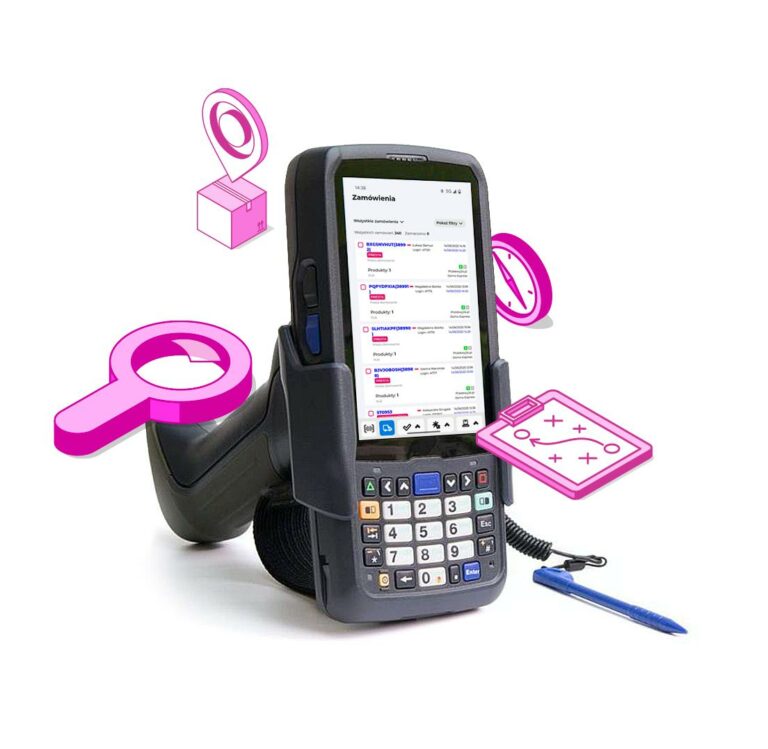


Processing orders in the warehouse has never been so simple. Thanks to the new version of the PowerHub mobile application, you can pick, assemble, and pack a shipment directly from your phone or mobile scanner. No paper, no computer, no mistakes.
It is the perfect solution for e-commerce, fulfilment centres, and any warehouse that wants to automate and speed up order fulfilment.
What can the PowerHub mobile application do?
The mobile application has been designed with warehouse workers in mind, who need a simple and reliable tool for handling orders in the field – without the need to use a computer. It works on devices with the Android system (from version 8 upwards) – both on phones and data collectors or industrial scanners.
Among the most important functionalities are:
Handling orders for picking and packing
No more printing sheets and scanning product barcodes to start the picking process. In the application, after logging in, you will immediately see orders in the selected status and start picking and then packing quickly and without errors.
Picking assistant
The application guides the warehouse worker step by step through the product collection process. It shows, among other things:
- location in the warehouse (rack/shelf),
- picking order,
- quantity of items to collect.
This allows for optimising the picking route and saving time.
Picking and packing from the mobile device
After completing the collection, you can immediately proceed to the packaging process. From the application level:
- you will confirm the correctness of the order,
- you will add the package size, which will be substituted into the shipment data
- you will print the label (if a network printer is available),
- you will mark the shipment as ready for dispatch by changing the order status
Handling order statuses
Changing the order status during the process happens automatically. The application informs the system whether the package is “being assembled”, “packaged”, or “ready for dispatch”.
Real-time synchronisation
Every action performed in the application immediately goes to PowerHub – there is no need for additional approval on the computer. This is full control over what happens in the warehouse.
Full support for picking paths by product locations
The application guides the user according to the actual location of goods in the warehouse – taking into account shelves, zones, and collection priorities. This reduces distance, working time, and the risk of errors.
Flexible product picking scenarios
Three main warehouse worker work modes are supported:
- collecting individual orders (one order – one route),
- picking to collective baskets (multi-order picking),
- collecting the same products for multiple orders (batch picking).
Each scenario is tailored to the scale of operations and the organisation of warehouse space.
Recognition of various code types: 2D, 3D
The application easily reads the most commonly used codes in logistics – including QR, Datamatrix, EAN-13/128, as well as user’s own codes, assigned in PowerHub as custom events of automatic actions. You can programme the system’s reactions to specific scans (e.g., changing status, marking a package as packaged).
Full support for automatic actions
Each work stage (e.g., scanning a product, packaging an order, printing a label) can trigger an assigned automatic action in PowerHub – which allows automating processes without additional intervention (e.g., sending a notification, changing status, generating a document).
Printing labels directly from the application
From the device level, you can print a label for any carrier:
- on printers shared on the Wi-Fi network (e.g., desktop printers),
- or on mobile printers via Bluetooth (ideal for picking on the move).
Synchronisation and accessibility on every Android device (8.0+)
Regardless of the hardware – whether it’s a Zebra data collector, Xiaomi smartphone, or Honeywell industrial terminal – the PowerHub application runs smoothly, and data is synchronised in real time.
Additional features
- Offline mode – the application saves data locally and synchronises when the network connection is restored
- Night mode / high contrast – for working in different lighting conditions
- Filtering orders by status or packing station
- Access only to assigned orders (by user or workstation)
Who is the mobile application for?
- For online shops with their own warehouse
- For warehouse teams that want to increase efficiency
Summary
The new PowerHub mobile application is a true revolution in warehouse management. With it, you can shorten order fulfilment times, reduce the number of errors, and speed up shipping. And all of this – within reach of a data collector or phone.